Glider Panel Designer
Browser-based, CAD-style tool for planning glider instrument panels: front, rear and wiring from one model, with 1:1 cutting templates, a wire list and a bill of materials.
What it’s for
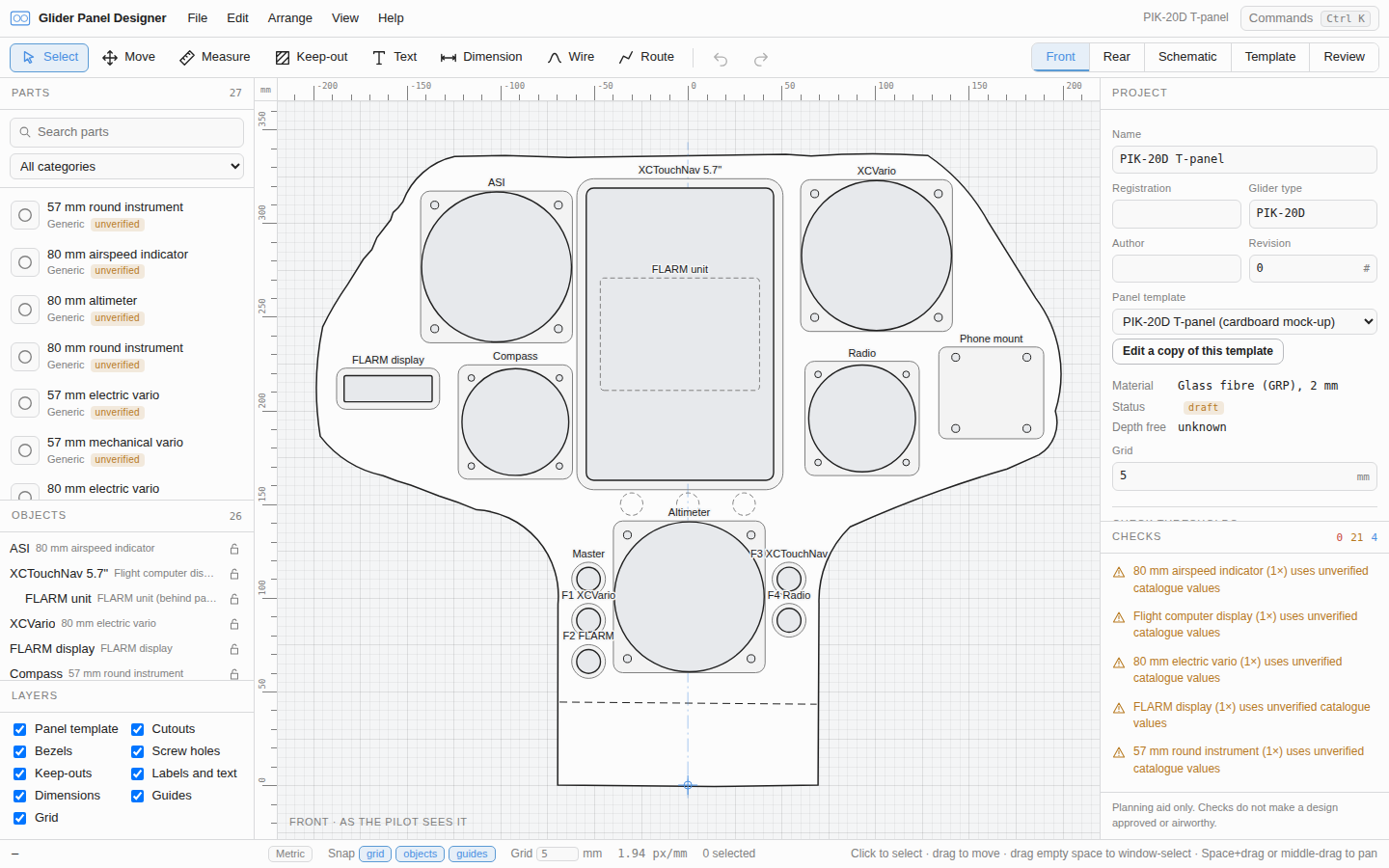
Re-panelling a glider means fitting instruments into an awkward, curved panel. They have to clear the canopy and each other behind the panel, and every one of them needs wiring, fusing and pneumatics. It’s usually done with cardboard, a tape measure and a pencilled wiring sketch. Glider Panel Designer brings it all into one model in the browser: the front face, the rear (depth and stacking) and the wiring. From that model it makes the outputs you build from:
- 1:1 cutting templates (SVG and DXF), and a printable template tiled across A4
- A rear layout with a depth table
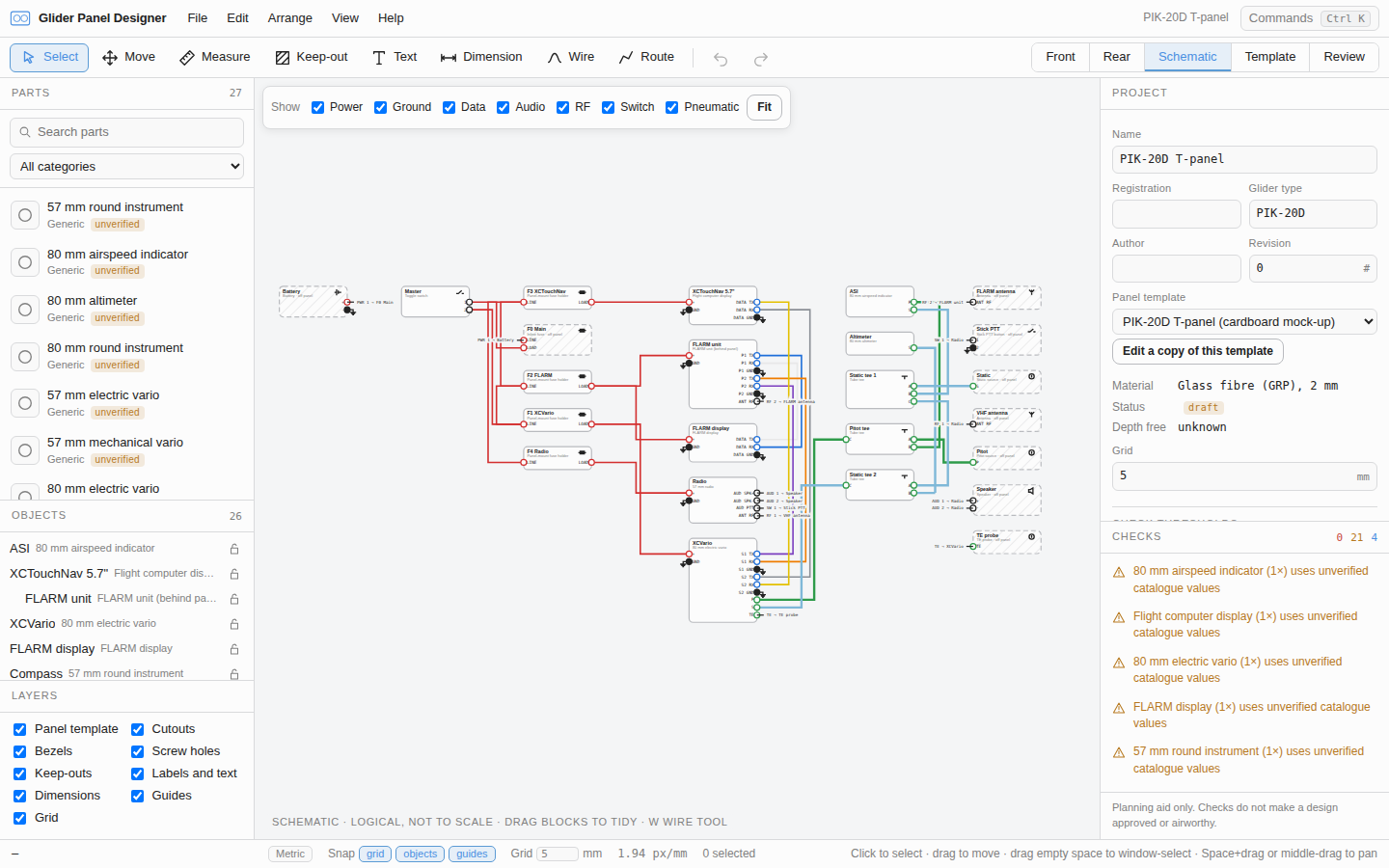
- A wiring and pneumatic diagram, a wire list and wire labels
- A bill of materials
I built it for my own PIK-20D re-panel, and that panel ships with the app as a worked example.
It’s a planning aid only. Nothing it produces means a design is approved or airworthy. Panel changes still go through the normal inspection and approval route, and every dimension needs checking against the real parts before anything is cut. The app says so on screen and on every export.
How to use it
Open glider-panel-designer.neale.dev. A first visit shows a welcome and a three-step walkthrough: pick a panel template, place an instrument, then check and export. File › Open PIK-20D example project opens the reference panel with everything already done. Press ? for every shortcut. It works best on a desktop screen.
Features
- Front editor. Place instruments from a parts library, snap to grid, objects and guides, then measure and dimension. Design rule checks flag cuts that are too close to each other, to the panel edge or to the flange fold.
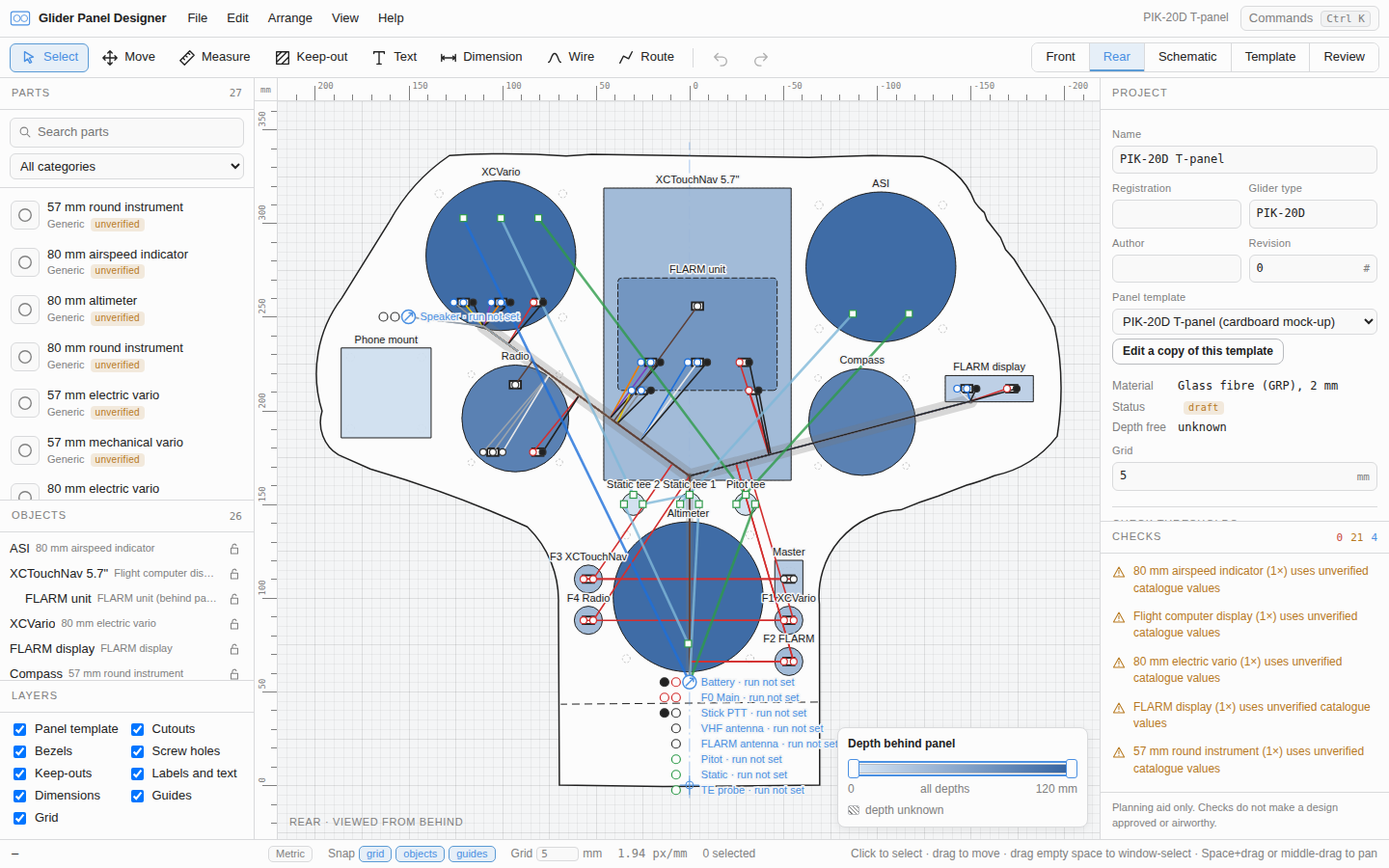
- Rear and stacking. The rear view is mirrored, as seen from behind. Every part has a depth band, so clashes behind the panel are caught, and a part can be mounted on the back of another (a FLARM unit behind a flight computer, say).
- Wiring and pneumatics. Wire pin to pin in a schematic that lays itself out, then draw looms in the rear view to get wire lengths. Wires are sized from the tables in FAA AC 43.13-1B: the smallest size that carries the load, stays within its voltage drop and is protected by the fuse upstream. Checks catch unfused power paths, wires too small for their fuse, shorts, TX joined to TX and mixed-up pitot and static lines, and the battery endurance is estimated from the total draw. Pitot, static and TE lines are modelled like wires.
- Panel templates from photos. A photo of a cardboard mock-up on a cutting mat, or an angled photo of the panel as fitted, becomes a template. The app finds the mat grid, corrects lens distortion and perspective, and you trace the outline, bend lines and fixings. It states its own error (about ±1.5 mm for the mock-up), and you can check it against spans measured with a steel rule.
- Exports. The SVG, DXF and PDF cut files are all written from one drawing, so they can’t disagree. Each page carries a 100 mm check bar, a title block and the open checks.
- Sharing. A design can be shared as a link. The whole project is compressed into the URL fragment, so it never reaches a server. A design too big for a link is saved as a project file instead.
- Undo for everything. Every edit is undoable, and autosave and snapshots let you get back earlier work. A searchable shortcut map lets you rebind any key. Light and dark themes.
Privacy
Everything runs in the browser. There’s no server, no account and no telemetry. Work is autosaved in IndexedDB on your own machine, and nothing leaves it unless you export a file or share a link.
How it works
It’s TypeScript, React and Vite. The canvas is SVG, in millimetres with y up, and the rear view reuses the same rendering with x mirrored. It stays at 60 fps with 200 parts. The file formats are zod schemas, also exported as JSON Schema. Every edit goes through one document store as an undoable operation, and every user action is a registered command, so the menus, command palette and shortcuts always match.
There’s no geometry, CAD or computer-vision library. The checks need only distances and overlap tests, which are done in closed form or on shapes flattened to within 0.01 mm. Photo calibration uses a homography with a one-term lens model. The SVG, DXF and PDF writers are the app’s own.
Part data is never made up. An unknown value stays empty and is flagged. A set of Python tools gathers candidate dimensions, pinouts and current draw from makers’ documents, fetching politely and caching everything. Each value keeps its source and the snippet it came from, and none of it reaches the catalogue until a person has checked it in the app’s Review tab.
Tests cover a lot of it. Golden-file tests export a fixture to SVG, DXF and PDF, then measure every cutout with independent readers to within 0.05 mm. Share links and project files must round-trip exactly. Playwright flows build the whole PIK-20D example through the interface, from template to share link. Design decisions are recorded as ADRs in the repo.